
Many new features and capabilities have been implemented for openEMS and Palace EM workflows, thanks to coding support by Anthropic Claude.
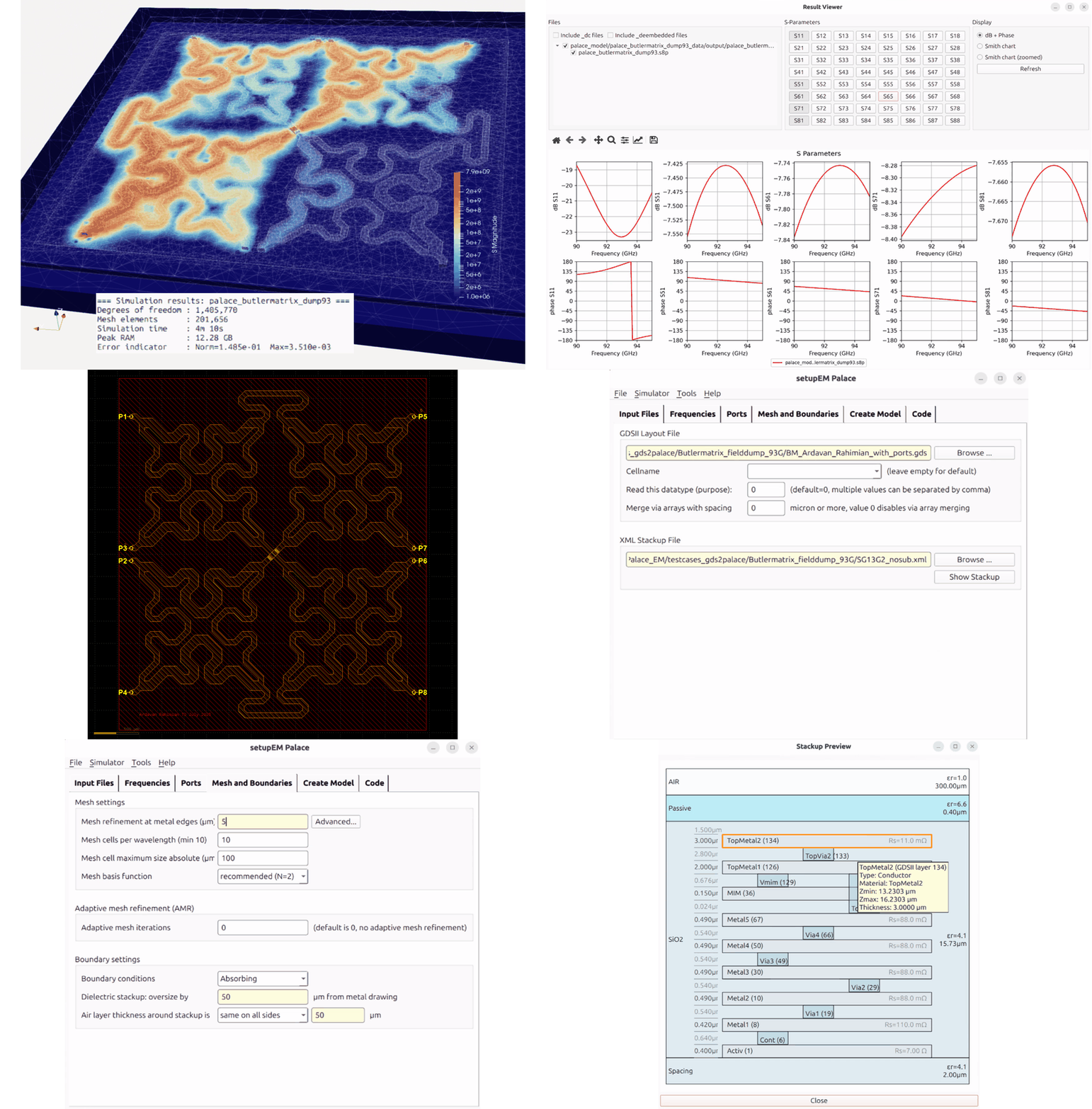
Major new features shared by both workflows
- XML stackup files now support derived layers (e.g. for IHP resistors), variables (including variable override from the EM model code) and relative position of metals and dielectrics. Documentation can be found in the docs folder of the repositories.
- A new graphical stackup editor is now available for creating and modifying the XML stackup files, including import from Keysight ADS *.subst and *.ltd files.
For gds2openEMS, this is built into the gds2openEMS package. For gds2palace, the stackup editor is built into the setupEM tool. SetupEM is the GUI tool to create and run models for the gds2palace workflow. - The gds_prepare_for_EM package is designed to clean up GDSII layout files prior to simulation, to remove all those details and “decoration” that would slow down EM simulation a lot. This package was completely redesigned and now does an amazing job, much more robust than the initial version.
- Documentation is now available in *.md format also.
Changes specific to the gds2openEMS flow
- One major change is that documentation and examples now install gds2openEMS as a module from PyPi (pip install gds2openEMS), instead of the local copy of the modules folder used before. The old method with local copy still works, but the new method using Python module installation is more convenient.
- The second major change is that examples and documentation now use the settings[] dictionary syntax for simulation model settings, similar to the gds2palace workflow. The previous model syntax with loose variables ist still supported, so you can choose whatever suits your needs. Long term, the settings[] dictionary syntax is preferred because it allows to switch between openEMS and Palace workflows more easily.
- The repository for the openEMS flow was renamed to gds2openEMS. The previous repository name and URL will be redirected, so it doesn’t break.
Changes specific to the gds2palace flow
- Completely redesigned the core mesh algorithm, which previously had thrown Palace MFEM error message for certain stacked chip configurations. Now, metals are properly cut from dielectrics no matter if they cross dielectric boundaries.
- There is a new setting to override refined_cellsize for specific layers, for example if you have a complex ground plane but don’t want to mesh that with the same level of detail as the signal trace. See settings[‘refined_cellsize_override’] in the User’s Guide. This setting is not yet available in the setupEM GUI.
- Surrounding air layer thickness may now be 0 on one or more sides, for example to use PMC boundary symmetry or to use a PEC boundary as ground. Sheet metal layers from GDSII layers may now be located on the outer simulation boundary, overriding the boundary material.
- gds2palace can now create thermal simulation models for Elmer, a multi-physics FEM solver. At this moment, thermal models can be excited by user defined thermal sources, see documentation in doc folder.
Changes to setupEM (graphical user interface for gds2palace)
- The setupEM GUI can now start Palace simulation in WSL (Windows Subsystem for Linux) and report simulation progress to the setupEM log. This is now similar to running setupEM on Linux, it is no longer required to start Palace in the WSL terminal window manually.
- setupEM now provides a built-in S-Parameter viewer to inspect results.
- The setupEM package was extended to support thermal simulation models for Elmer. There is a separate ‘setupThermal’ program included in that package for building thermal models, see documentation in the repository. Elmer thermal simulation can be started directly from setupThermal.
GDSII geometry cleanup prior to simulation
Layouts are usually simple and clean in the initial design phase, but simulating a „final“ layout that was already prepared for tape-out with density rules etc. can be a challenge.
To solve these issues and create a more simulation-friendly layout, a collection of tools is provided at https://github.com/VolkerMuehlhaus/gds_prepare_for_EM